Blaze AI is quickly becoming a popular tool for entrepreneurs and businesses wanting to leverage AI for their content marketing.
It’s definitely one of my favourite AI content creation and marketing platforms as it's the only AI platform that covers everything for content marketing - brainstorming ideas, creating content, graphics, editing content, scheduling and publishing, all in one platform. And it does such a great job of developing your brand voice.
The vision of the team behind Blaze AI is to be “a one-stop shop for you to do all your marketing in a single click: Canva, Google Docs, ChatGPT, and Shopify, rolled into a simple, powerful platform”. And they continue to have updates and improvements to the platform getting them closer to that goal.
In this article I’ll share with you a few feature updates and improvements that were added over the last few months (Nov 2024 - Jan 2025).
October 2024 - Upload, Edit, & Post Video with Blaze
You can now upload videos or access videos from their stock library to use in the Blaze Designer. And the Designer allows you to add text, images, and elements to the videos and post directly to your social feeds.
Check it the quick tutorial below to learn more about using videos in Blaze Designer:
November 2024 - Analytics Dashboards In Blaze
This feature allows you to track your social accounts' progress within Blaze, just as you would with tools like Hootsuite and Social Champ.
You can analyze your Instagram, Facebook, LinkedIn, and Twitter/X follower counts, impressions, reach, and profile views directly in Blaze with the account analytics page.

And you simply click "Analytics" in the left menu to see an overview of your connected accounts' progress. If you have multiple accounts connected to Blaze, switch between accounts in the header dropdown menu with your account name.
To connect an account, click "+Connect Another Account" on the Analytics page, or click "Integrations" on the left side rail.
November 2024 - More Beautiful Templates
Blaze has added more templates to their gallery to give you some inspiration for your marketing creatives. You can simply browse all of Blaze's visual templates in a gallery and start creating directly from your chosen template.
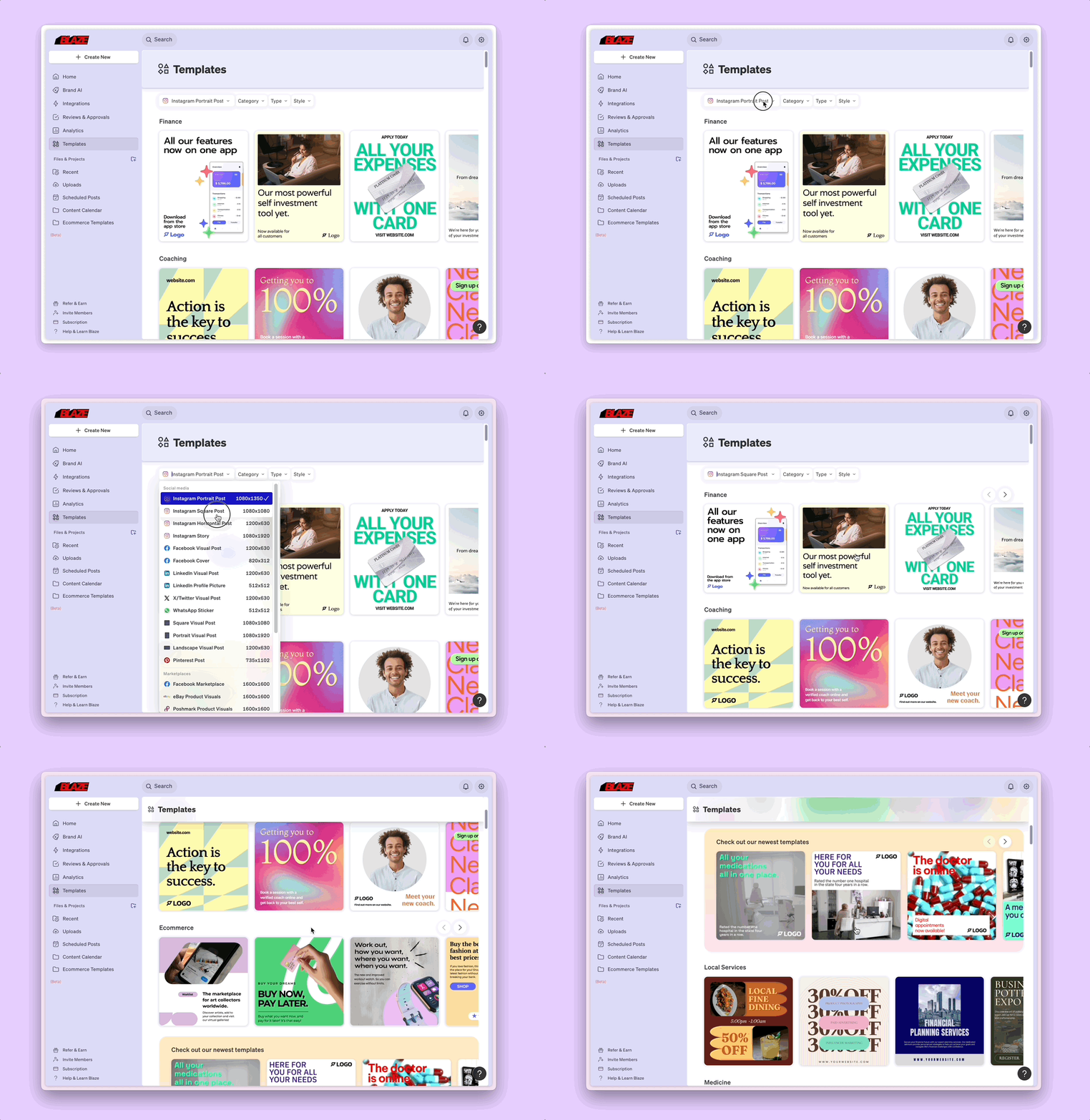
Just click "Templates" in your left menu to access the gallery. Filter by format, category, type, and style. Then, click on the template card to use it in the Blaze Designer.
Blaze has indicated that if you're not finding a template you need, you can send a note to support@blaze.ai, and they'll add it to their template backlog.
January 2025 - TikTok Posting
With this feature you can connect your TikTok account, generate your desired video content, and then schedule your posts directly to TikTok.
- Get started by connecting your TikTok account in the Integrations menu on your left rail.
- Click on the TikTok card and follow the on-screen prompts.
- Create a TikTok post from the Create New menu. Generate a visual design or add your own video media.
- Then navigate to the Publish menu to schedule your post.
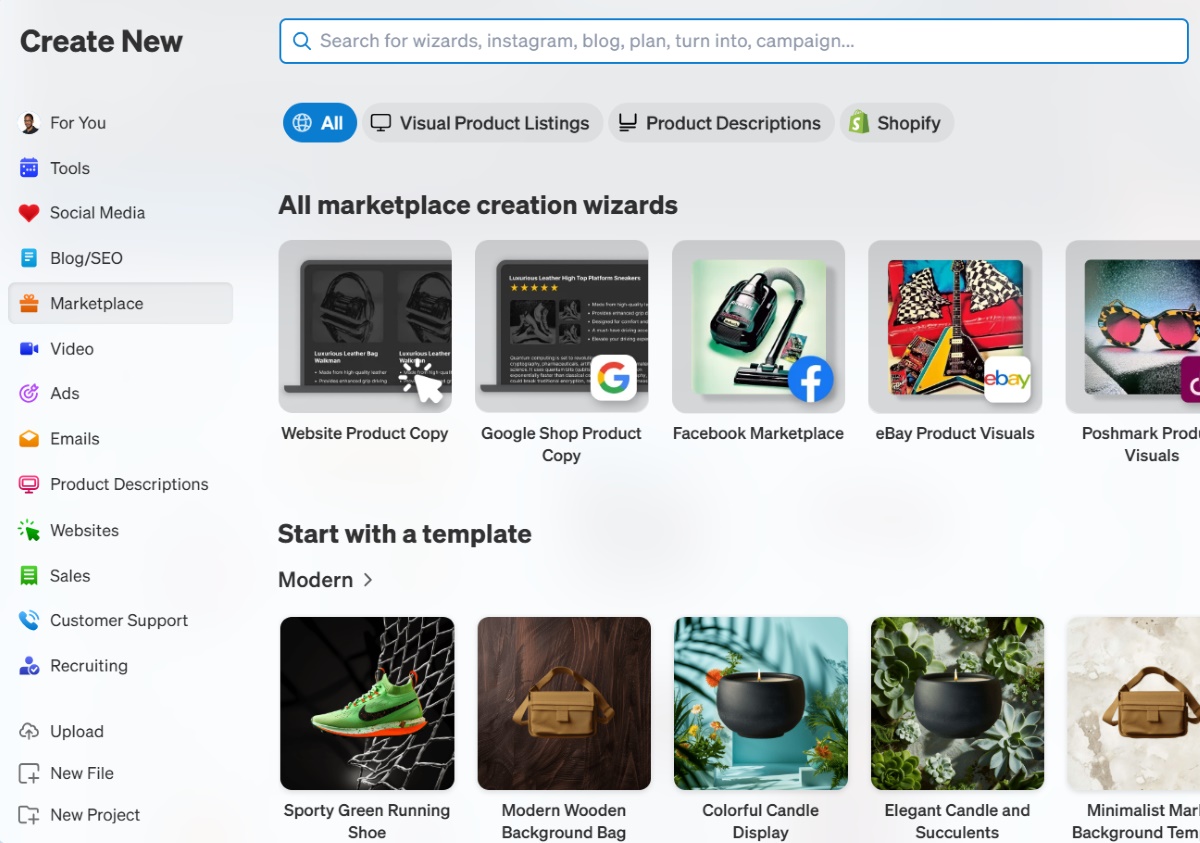
January 2025 - Marketplace Visual Wizards
If you're selling on eBay, adding a product on Shopify or setting up a closet on Poshmark, Depop, or Mercari, then this feature will be great for you, with studio-grade design templates and wizards that make your products "pop".
Try them out by clicking "Marketplace" on the Create New menu within the Blaze AI dashboard. Then select "Visual Product Listings" to see all of Blaze's marketplace visual design wizards.
As you can see, these are all great new features and improvements to the Blaze platform. I'm excited to see what's in store for us in the future.

What's Coming...
I recently spoke with the team behind Blaze AI, and they indicated that they're working on a bunch of blog and SEO improvements over the coming weeks so that blog post outputs are of a higher quality. They're also working on allowing you to generate backlinks automatically, get an SEO score, and modify blog metadata fields for exporting.