Introduction
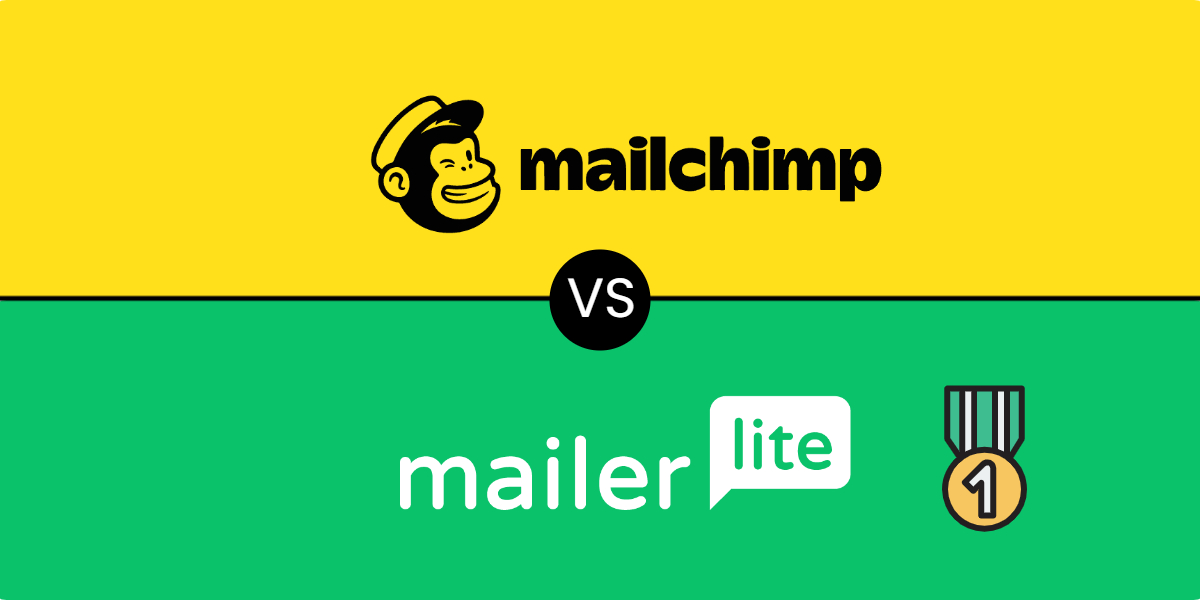
I created this Mailchimp vs MailerLite comparison article because quite a few solopreneurs and small businesses that I’ve worked with had been using MailChimp (or ActiveCampaign) but were asking about Mailchimp alternatives. They have indicated that this is due mainly to MailChimp’s relatively high (and seemingly regularly increasing) prices, as well as some business practices which don’t have customers’ best interest at heart.
Mailchimp is very popular. In fact, according to Datanyze MailChimp commands about 57% market share, whereas Mailerlite's market share is only 2.5%. These two email marketing platforms offer robust solutions for creating managing email campaigns. Both platforms provide user-friendly interfaces, automation features, and analytics to help you reach your audience effectively. But, despite its leading market share, in 2026 Mailchimp may not be the best email marketing solution for you, as you'll see below.
I continue to recommend MailerLite as the go-to email marketing platform for budget-conscious online entrepreneurs wanting to switch from their current service. It offers the best combination of features, ease of use, great customer support, and affordability.
In this Mailchimp vs MailerLite showdown we'll compare the two platforms, taking into consider factors such as ease of use, template designs, list management capabilities, and pricing structures and why you should consider switching to MailerLite.
Key Takeaways
Why Customers Are Switching from Mailchimp to Alternatives
Before we get into comparing Mailchimp vs MailerLite, let’s talk a bit about why people are cancelling their Mailchimp account and seeking alternatives.
- Increasing Prices - Recently Mailchimp increased their prices three times, and that was just within a two-year period alone (2021 - 2023). You can easily find many complaints online from customers frustrated by the regular price hikes.
- You're Charged for Unsubscribers AND Non-subscribers - Mailchimp doesn’t charge you based on how many subscribers you have. They charge you based on how many contacts you have in your account. But "contacts" as they define it in their documentation includes people that subscribed, unsubscribed, and non-subscribed (someone who's interacted with you but hasn’t opted in to receive marketing content).
- Overage Charges - For many email marketing platforms the pricing plans are based on tiers of contacts/subscribers. This means that as your email list grows you can start paying more as you move up the tiers accordingly. But here’s the thing with Mailchimp - it doesn’t automatically move you up a tier. If you exceed your tier limit, you’ll need to pay “overage charges”. This means every month you're stuck with the task of monitoring how much your list grows and adjust your plan accordingly. Otherwise, you’ll face extra fees. It’s an unnecessary hassle. You can read more about this here - https://mailchimp.com/help/about-additional-charges/
- No Automatic Downgrades - Just as they don’t automatically upgrade your account to the next tier as your list grows, they don’t automatically downgrade you to a lower tier price if your lists shrinks.
Overview of Email Marketing Tools
Email marketing platforms help businesses connect with their audience through targeted campaigns. These tools offer features for creating, sending, and tracking email communications. Popular options like Mailchimp and MailerLite provide user-friendly interfaces for designing emails and managing subscriber lists. You can easily craft eye-catching messages using drag-and-drop editors and pre-designed templates.
Most email marketing software includes automation capabilities. This allows you to set up triggered emails based on subscriber actions or specific time intervals.
Analytics are a crucial component of these tools. You can track open rates, click-through rates, and conversions to measure the effectiveness of your campaigns.
Some platforms offer additional features like landing page builders, signup forms, and A/B testing. These extras help you grow your list and optimize your email performance.
Pricing models vary between providers. Many offer free plans with limited features for small businesses, while paid tiers unlock more advanced capabilities as your needs grow.
When choosing an email marketing tool, consider factors like:
- Ease of use
- Template quality
- Automation options
- Reporting features
- Integration with other tools
- Scalability
- Customer support
By selecting the right platform, you can streamline your email marketing efforts and improve your results.
Featured Resource

A Carefully Curated “Crash Course” On Everything You Need To Crank Out High-Converting, Winning Email Promotions That Generate Conversions All Year Long


Comparing MailerLite and Mailchimp
MailerLite and Mailchimp are popular email marketing platforms with distinct features and pricing structures. Both offer tools for creating, sending, and analyzing email campaigns, but they differ in ease of use, design options, automation capabilities, reporting, and cost.
Ease of Use
MailerLite boasts a user-friendly interface with a straightforward design. Its drag-and-drop editor is intuitive, making it easy for beginners to create emails quickly. The platform's simplicity doesn't compromise functionality.
Mailchimp also offers a drag-and-drop editor, but some users find its interface more complex. While it provides more advanced features, the learning curve can be steeper for newcomers.
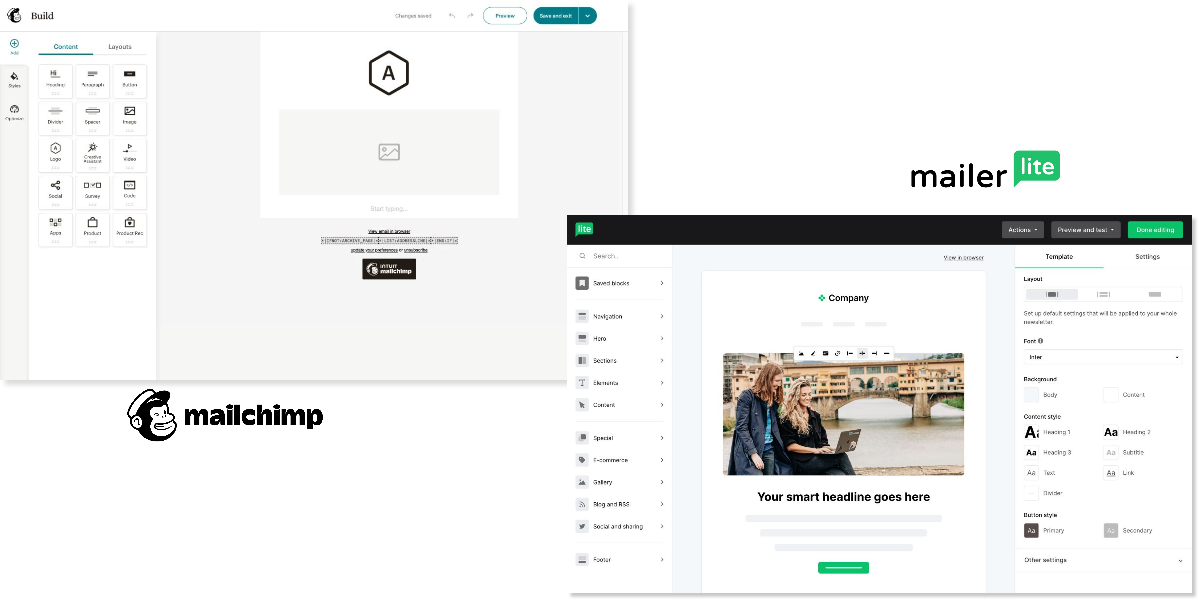
Both platforms offer mobile apps for managing campaigns on the go, but MailerLite's app is generally considered more user-friendly.
Email Templates and Design Features
MailerLite provides a range of customizable email templates. Its email builder allows for easy personalization and responsive design. You can create clean, professional-looking emails without extensive design skills.
Mailchimp offers a wider variety of templates and more advanced design options. Its Creative Assistant uses AI to generate designs based on your brand, giving you a head start on email creation.
Both platforms support custom HTML, but Mailchimp's design features are more robust, catering to users who want more control over their email aesthetics.
Automation and Workflow Capabilities
MailerLite offers basic automation features suitable for most small to medium-sized businesses. You can set up autoresponders, create drip campaigns, and use triggers based on subscriber behavior.
Mailchimp provides more advanced automation options. Its workflow editor allows for complex, multi-step automations. You can create sophisticated customer journeys with branching logic and multiple triggers.
For businesses needing basic automation, MailerLite is sufficient. If you require more intricate marketing automation, Mailchimp has the edge.
Reporting and Analytics
MailerLite provides essential analytics, including open rates, click rates, and subscriber growth. Its reports are clear and easy to understand, giving you a quick overview of campaign performance.
Mailchimp offers more comprehensive analytics. You get detailed insights into subscriber behavior, campaign comparisons, and e-commerce performance tracking. Its reporting features are particularly valuable for data-driven marketers.
Both platforms allow you to export reports, but Mailchimp's analytics are more in-depth and customizable.
Pricing and Plans
MailerLite offers a free plan for up to 250 subscribers and 2500 emails per month. Its paid plans are generally more affordable than Mailchimp's, especially for growing lists.
Mailchimp's free plan includes up to 250 contacts and 500 emails per month. Its paid plans are more expensive but include additional features like advanced segmentation and multivariate testing.
Monthly Plans | MailerLite (Power Plan) | Mailchimp (Standard Plan) |
|---|---|---|
Up to 500 subscribers | $25 | $20 |
Up to 2,500 subscribers | $49 | $60 |
Up to 5,000 subscribers | $69 | $100 |
Up to 10k subscribers | $129 | $135 |
Up to 25k subscribers |
$239 |
$270 |
Up to 50k subscribers |
$389 |
$410 |
Annual Discount |
10% |
None |
Number of emails you can send per month |
Unlimited |
12 times the total number of contacts |
Method of counting subscribers |
Only active unique subscribers are counted |
Subscribed, unsubscribed, and non-subscribed contacts are counted |
For small businesses or those just starting, MailerLite often provides better value. As your needs grow more complex, Mailchimp's premium plans might offer more bang for your buck despite the higher cost.
Features and Functionalities
MailChimp and MailerLite offer robust email marketing tools, each with unique strengths. Both platforms provide essential features like list management and audience segmentation.
You'll find pop-up forms and landing pages available in both services, helping you grow your subscriber base. MailChimp's pop-up builder is slightly more advanced, offering more design options.
Deliverability is crucial for email marketing success. Both platforms perform well in this area with above 90%.

Source: EmailToolTester
Integration capabilities are strong for both services. MailChimp boasts a wider range of integrations, while MailerLite focuses on key integrations that most users need.
A/B testing is available on both platforms, allowing you to optimize your campaigns. MailChimp offers more comprehensive testing options, including subject lines, content, and send times.
Customization is another important aspect. MailerLite provides a more straightforward, user-friendly interface for customizing templates. MailChimp offers more advanced customization options but with a steeper learning curve.
Both platforms continue to evolve, adding new features to meet user needs and stay competitive in the email marketing landscape.
Features |  |  |
|---|---|---|
Creating marketing campaigns | Cell | Cell |
Drag and drop editor | ||
AI writing assistance | ||
Custom HTML editor | ||
Surveys | ||
Quizzes | ||
E-commerce campaigns | ||
Newsletter templates | ||
Capturing Subscribers | Cell | Cell |
Pop-ups | ||
Embedded signup forms | ||
List management | ||
Landing pages with custom domains | ||
Automations, segmentation, and such | Cell | Cell |
Automations and multi-step workflows | ||
Automations split testing | ||
Automations templates | ||
Tagging | ||
Segmentation | ||
Personalization | ||
Dynamic content | ||
Unsubscribe page builder | ||
Embed social media posts in emails | ||
Optimizing Your Campaigns | Cell | Cell |
A/B spit testing | ||
Auto resend | ||
RSS campaigns | ||
Deliver emails by timezone | ||
Tracking Your Results | Cell | Cell |
Click maps | ||
Tracking and campaign reports | ||
Subscribe and unsubscribe notifications | ||
Comparative reporting |
Customer Support and Assistance
Both Mailchimp and MailerLite offer customer support options to assist you with your email marketing needs. MailerLite provides 24/7 email and live chat support. You can reach out to their team at any time for assistance.
Mailchimp's support options vary depending on your plan. Free users have access to email support for the first 30 days. Paid plans offer more comprehensive support, including live chat.
Both platforms provide self-serve knowledge bases. These resources allow you to find answers to common questions without contacting support directly. You'll find tutorials, guides, and FAQs to help you navigate the platforms.
MailerLite offers live chat support on their premium plans. This feature gives you real-time assistance for urgent issues. Mailchimp also provides live chat, but availability may depend on your subscription level.
Here's a quick comparison of support options:
- Email support: Both offer
- Live chat: Available on paid plans for both
- Knowledge base: Both provide
- 24/7 support: MailerLite offers, Mailchimp varies by plan
MailerLite's customer support is generally considered more responsive and quicker, especially on paid plans. This can be beneficial if you need frequent assistance or have time-sensitive issues.
Use Cases and Business Type Suitability
Mailchimp and MailerLite cater to different business needs and sizes. For small businesses just starting out, MailerLite offers an intuitive platform with a generous free plan and excellent support.
- You'll find MailerLite particularly suitable if you prioritize affordability and ease of use. It's ideal for entrepreneurs, bloggers, and small ecommerce stores looking for straightforward email marketing solutions.
- Mailchimp, on the other hand, shines for growing businesses and enterprises. Its robust automation features and integrations make it a powerhouse for complex marketing strategies.
- If you run an established ecommerce store or sell digital products, Mailchimp's advanced segmentation and customer journey tools can help you target customers more effectively.
- For businesses focused on scalability, Mailchimp offers more comprehensive features as you grow. However, this comes with a steeper learning curve and higher costs.
- MailerLite's simplicity makes it a great choice for businesses that want to get started quickly without extensive training. Its user-friendly interface is perfect for teams new to email marketing.
Consider your long-term goals when choosing. If you anticipate rapid growth or need advanced features, Mailchimp might be the better investment. For those prioritizing simplicity and cost-effectiveness, MailerLite could be the ideal solution.
Advanced Features and Innovation
- Mailchimp and MailerLite offer sophisticated tools to enhance your email marketing efforts. Both offer AI assistance, including an AI writing assistant to help craft compelling content, which you can leverage to generate ideas and refine your messaging.
- Both platforms provide robust automation triggers. Mailchimp offers more advanced options, allowing you to set up complex workflows based on subscriber behavior. MailerLite's automation features are simpler but still effective for most small businesses.
- Audience management is a key strength for both services. Mailchimp excels with its detailed segmentation options and predictive analytics. MailerLite offers a more straightforward approach to list management, which may be preferable if you're just starting out.
- Email automations are a core feature of both platforms. Mailchimp provides a wider range of pre-built automation templates, while MailerLite focuses on easy-to-use, customizable workflows. You'll find options for welcome series, abandoned cart reminders, and customer re-engagement campaigns on both platforms.
- MailerLite offers a more streamlined experience, while Mailchimp provides a broader suite of advanced tools. Your choice will depend on the complexity of your email marketing needs and your comfort level with advanced features.
Additional Services and Products
Mailchimp and MailerLite offer more than just email marketing capabilities. Both platforms provide additional tools to enhance your marketing efforts.
- Both MailerLite and Mailchimp includes built-in survey features, allowing you to gather feedback from your audience. You can create custom surveys and integrate the results with your email campaigns. MailerLite also allows you to create quizzes.
- MailerLite offers a digital products feature, enabling you to sell digital downloads directly through their platform. This can be useful for selling ebooks, courses, or other digital content.
- Both services provide website and landing page builders to help you create high-converting pages for your campaigns. These tools can be valuable for lead generation and product launches.
- Analytics and reporting are crucial for measuring your return on investment. Mailchimp offers more advanced analytics, including revenue attribution and customer lifetime value predictions.
- MailerLite provides simpler but still effective reporting tools. You can track open rates, click-through rates, and other key metrics to gauge campaign performance.
- For e-commerce integration, Mailchimp has a slight edge. It offers more robust connections with popular online store platforms, making it easier to sync your product catalog and customer data.
- Both services allow you to create signup forms and pop-ups to grow your email list. These tools can be customized to match your brand and embedded on your website.
How to Switch and Migrate from Mailchimp to MailerLite
Despite the many benefits of switching from one platform to another (including saving hundreds of dollars), many entrepreneurs are reluctant to do so because of they think it may be a bit of a hassle.
MailerLite actually has an inbuilt Mailchimp integration that makes migrating from Mailchimp to MailerLite easy.
Here's a video that shows how to get it done:
You can also review the steps in this How to switch from Mailchimp to MailerLite tutorial.
MailerLite makes it really easy to import your subscribers from Mailchimp. If you want to have this done for you, or you also want to migrate your automations, landing pages, forms and such, I'll be happy to help you out.
Conclusion
Both MailerLite and Mailchimp provide essential email marketing features to build, manage and grow your subscriber list effectively.
Mailchimp offers a broader range of more advanced features and integrations, while MailerLite focuses on simplicity and affordability, providing a more streamlined experience and competitive pricing. Mailchimp may be more appropriate for larger businesses with complex marketing requirements, while MailerLite is a clear choice for solopreneurs and small businesses.
But the bottom line is this - do you want to continue overpaying for features you don't use or may never use, or do you switch to a more affordable solution with a more intuitive, simple user-interface (which saves you time) and better customer service?
TECH STACK CASE STUDY:
How I Helped This Solopreneur Simplify the Tech Behind Her Online Business and Reduce Her Recurring Expenses By 295%
Frequently Asked Questions
What are the main differences between Mailchimp and MailerLite features?
Mailchimp provides a more extensive set of features, including advanced automation and integrations. MailerLite offers a simpler, more streamlined approach with essential email marketing tools. Both platforms support email list building and campaign creation. Mailchimp excels in data analysis and reporting, while MailerLite focuses on user-friendly design tools.
Which platform, Mailchimp or MailerLite, offers more competitive pricing?
MailerLite offers more competitive pricing, and more value for money especially for smaller businesses. Their free plan includes up to 500 contacts and 2500 emails per month. Mailchimp's free plan allows up to 250 contacts and 500 emails monthly. As your list grows, MailerLite tends to remain more cost-effective compared to Mailchimp.
What are the pros and cons of using Mailchimp compared to MailerLite?
Mailchimp pros include a wider range of features, robust integrations, and powerful analytics. Cons involve higher costs and a steeper learning curve. MailerLite pros are its simplicity, affordability, and user-friendly interface. Cons include fewer advanced features and integrations compared to Mailchimp.
What type of users is MailerLite most suitable for?
MailerLite is ideal for small businesses, startups, and individuals who need essential email marketing tools. It suits users who prefer a straightforward, easy-to-use platform. Bloggers, freelancers, and small e-commerce businesses often find MailerLite's features and pricing attractive for their email marketing needs.
Are there any notable disadvantages associated with using Mailchimp for email marketing?
Mailchimp's pricing can be a disadvantage for growing businesses, as costs increase significantly with larger subscriber lists. Some users find the interface cluttered and overwhelming. Limited customer support on lower-tier plans and restrictions on certain features in the free version are other potential drawbacks of using Mailchimp.
How do Mailchimp and MailerLite compare in terms of user experience and ease of use?
MailerLite offers a more intuitive and user-friendly interface, making it easier for beginners to navigate and create campaigns. Its drag-and-drop editor is straightforward and efficient. Mailchimp provides a comprehensive platform with more features, which can be overwhelming for new users. It offers powerful tools but requires more time to master fully.
Exclusive MailerLite Bonuses
Looking to switch to a better, and more affordable email marketing platform?
Then MailerLite is your best choice in 2026!... it's designed to truly help you grow your business with email marketing by collecting subscribers, strengthening customer relationships, automating workflows and monetizing your audience.
Right now, it represents the best combination of features, great customer support, affordability, ease of use in an email marketing and automation platform for solopreneurs and small business
Plus, when you sign up for any paid MailerLite plan through the link below, you’ll get instant access to 5 exclusive bonuses.
BONUS #1: The Email Marketing Field Guide

A 22-part email marketing guide packed with surefire tips, tricks, insights and strategies that make it easier than ever for you to build and grow a profitable mailing list!
Here's what's covered in this guide:
Module 1: Building A Responsive Email List
- The Ultimate Email Marketing Checklist For Beginning And Building A List
- How To Write An Effective Email That Gets Clicks In 5 Simple Steps
- The Follow-Up Worksheet: Converting Subscribers Into Sales Through Sequences
- The Campaign Calendar: What To Send And When To Send For Best Results
- 52 Fill-In-The-Blank Subject Line Templates
- 7 Outlines For Structuring Emails For Every Occasion
- Five Features Every Email Marketer Ought To Be Using
- The Call To Action Swipe File: 10 CTAs You Can Copy And Paste
- Email Marketing Q&A: Answers To Your 5 Biggest Questions
- The Top Ten Smartest Things You Can Do To Get More Subscribers
Module 2: Growing Your List and Increasing Revenue With Email Marketing
- Campaign Strategy: 17 Keys To Creating A Profitable Promotional Calendar
- Getting Subscribers: 17 Best Practices For Growing Your List Every Single Day
- Ideation: 17 Places To Look For Inspiration And Ideas To Write About (That Your Subscribers Will Respond To)
- Open Rates: 17 Ideas For Ensuring When Subscribers Check Their Email They Read Yours
- Getting Attention: 17 Ways To Create Subject Lines That Standout In The Inbox
- Crafting Messages: 17 Essential Elements Of Effective Email Copywriting
- Getting Clicks: 17 Things You Can Do Get People To Leave Their Inbox To Go To Your Site
- Segmentation: 17 Tips, Ideas, Examples and Insights For Getting The Right Message To The Right Audience
- Follow-Ups: 17 Suggestions For Your Own Set It And Forget It Sales
- Reader Loyalty: 17 Ways To Make People Love You And Your Business Through Email
- Deliverability: 17 Checks You Must Make Before You Hit Send (Or Your Email May Never Arrive)
- Analytics: 17 Insights For Interpreting, Improving And Increasing Your Results With Every Email You Send
BONUS #2: 31 Ways to Monetize Your Mailing List
This unreleased coaching content is compiled into a short report of 31 tips for making sales from any size of email list. It's filled with actionable revenue-generating ideas you can quickly put into use.
BONUS #3: Content Templates To-Go

This collection includes 326 fill-in-the blank templates across five categories:
BONUS #4: Using AI To Write All Your Emails (in your brand voice)
Discover how to use one of the best AI content tools to quickly and easily write emails for you, all in your brand voice.
Plus, the "Creating Content With AI" Field Guide

A crash course in using artificial intelligence tools to create better content, faster and easier than ever before.
You'll discover how to use ANY AI tool to create content, and how to do it in a way that saves you time and money, and avoids any potential problems that could cost you in the long run, including:
- How to Use AI for Content Creation
- 8 Limitations of Using AI for Content Creation
- 7 Common Mistakes Beginners Make When Using AI for Content Creation
- FAQs for Creating Content Fast, Better and Easier with AI Tools
- How to Decide What Type of Content to Create with AI Tools
- 7 Tips and Best Practices for Making the Most of AI Tools
- How to Edit and Publish content using AI Tools
- How to Use AI Tools for Content Brainstorming and Ideation
- 10 Ways to Use AI During the Content Creation Process
- The Ultimate Checklist for Creating Content With AI Tools
BONUS #5: 1 Hour Strategy Session With Me

We'll get on an online call via Google Meet and I'll help you plan out an email marketing strategy for your online business.
You can also ask me any questions related to your online business... For example, we can talk about digital marketing, website design and development, copywriting, content marketing, etc.
Follow These Steps to Get Your Bonuses
1.
Create a MailerLite Account.
Sign up for a paid MailerLite account using this link.
2.
Sign up for Your Bonuses.
Click on the button below to fill out the form to receive your bonuses.
3.
Grow Your Business with Email Marketing.
Collect subscribers, strengthen customer relationships, automate workflows and monetize your audience with MailerLite’s advanced email marketing features.